
How to Print WhatsApp Chat Easily on Any Device?
May 14, 2026
initiative
Seeking
Action



Photo Credit: BitRecover
How to print WhatsApp chat
How to print WhatsApp chat is a common question for users who need physical copies of important conversations. Some need them for legal records, business documentation, or personal memories. While WhatsApp allows chat export, the files usually save in TXT format, making them difficult to read and print properly. Tools like the BitRecover TXT Converter help export WhatsApp chat to PDF or DOC formats for easy printing, editing, and backup management.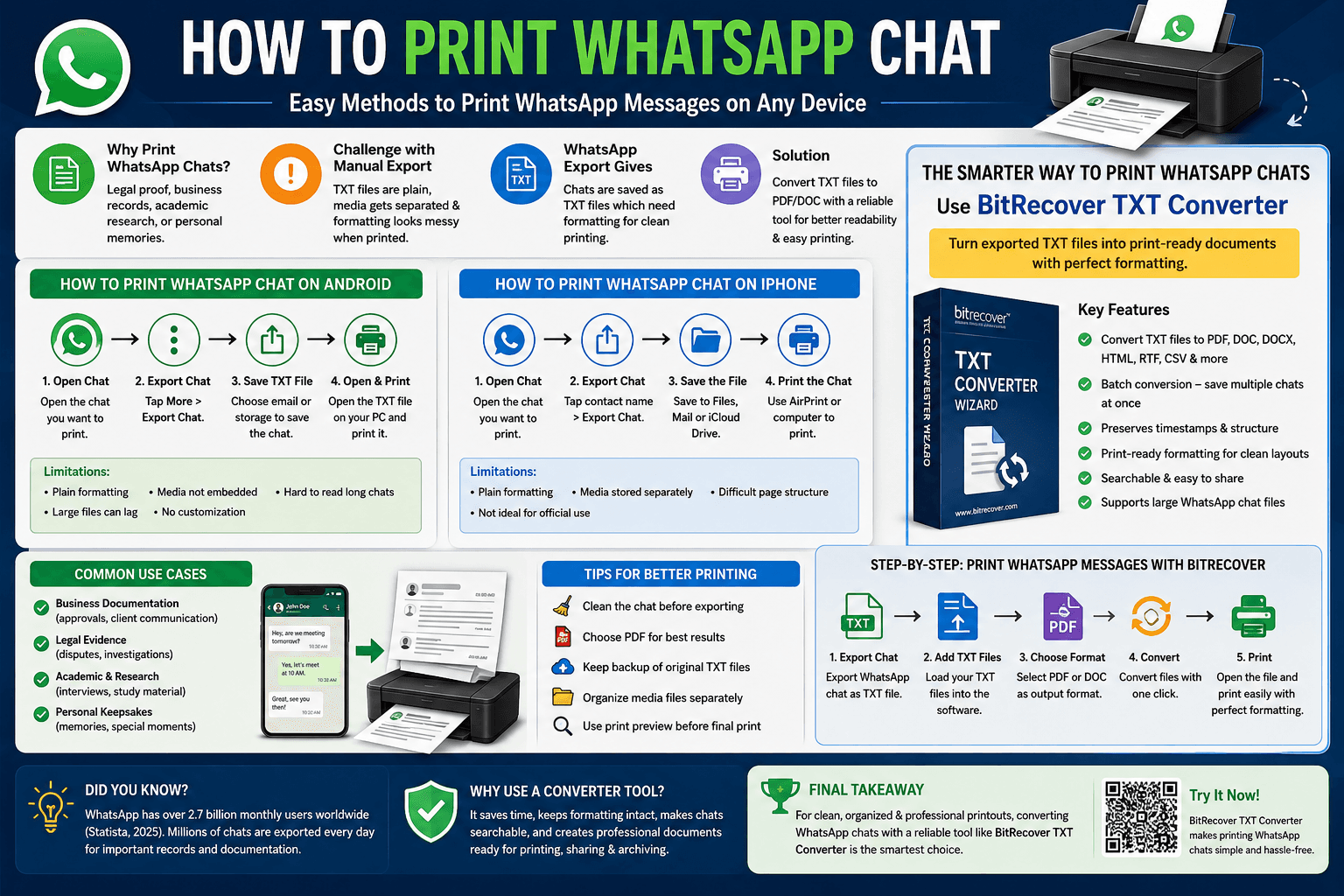
Can You Print WhatsApp Chats Directly?
Technically, yes. But not in the way most people expect.
WhatsApp doesn’t include a built-in print button for conversations. Instead, the app allows users to export chats as TXT files through email, cloud storage, or local downloads. After that, you need another application to open, edit, format, and print the file.
A lot of users try screenshots first. That works for very short conversations, but it becomes messy quickly. Imagine capturing 300 screenshots just to preserve a long discussion. It’s time-consuming and nearly impossible to organize.
Another issue is formatting. TXT files remove visual structure. Messages can appear cluttered, especially in lengthy conversations with timestamps and media references.
What this really means is that exporting alone isn’t enough. You also need a proper formatting solution if you want readable printouts.
How to Print WhatsApp Chat on Android?
Android users can export chats directly from the WhatsApp application. The process is simple, though the final formatting still needs work.
Step 1: Open the Chat: Launch WhatsApp and open the conversation you want to print.
Step 2: Access Export Options: Tap the three-dot menu in the top-right corner.
Go to:
• More
• Export Chat
WhatsApp will now ask whether you want to include media files.
• Without Media keeps the export smaller
• Include Media adds photos, videos, and documents separately
Step 3: Save the TXT File: Choose Gmail, Google Drive, or another storage option.
The conversation gets saved as a TXT document.
Step 4: Open and Print: You can open the TXT file on your computer using Notepad or Word. From there:
• Press Ctrl + P
• Choose your printer
• Print the document
That’s the basic manual method to print WhatsApp messages on Android.
Limitations of This Method
The process works, but users often face several issues:
• Long chats become difficult to read
• Media files are not embedded properly
• Formatting looks plain
• Large TXT files can lag
• No advanced print customization
This is where conversion tools become useful because they turn raw chat exports into properly structured files.
How to Print WhatsApp Chat on iPhone?
The iPhone process is very similar, though Apple users often rely on AirPrint or Mac systems for final printing.
Step 1: Open WhatsApp Chat: Launch WhatsApp and select the conversation.
Step 2: Export the Conversation: Tap the contact name at the top.
Scroll down and select:
• Export Chat
Choose:
• Attach Media
• Without Media
Step 3: Save the Exported File: You can save it to:
• Files app
• iCloud Drive
The exported conversation will still be in TXT format.
Step 4: Print the Chat: Open the file on:
• iPhone using AirPrint
• MacBook using TextEdit or Word
• Windows PC after transferring the file
Then print normally.
Best Way to Print WhatsApp Messages Without Losing Formatting
Manual exporting works for basic needs. But if you want clean formatting, searchable text, readable timestamps, and proper page layouts, conversion software saves a lot of time.
One practical option is the BitRecover TXT Converter.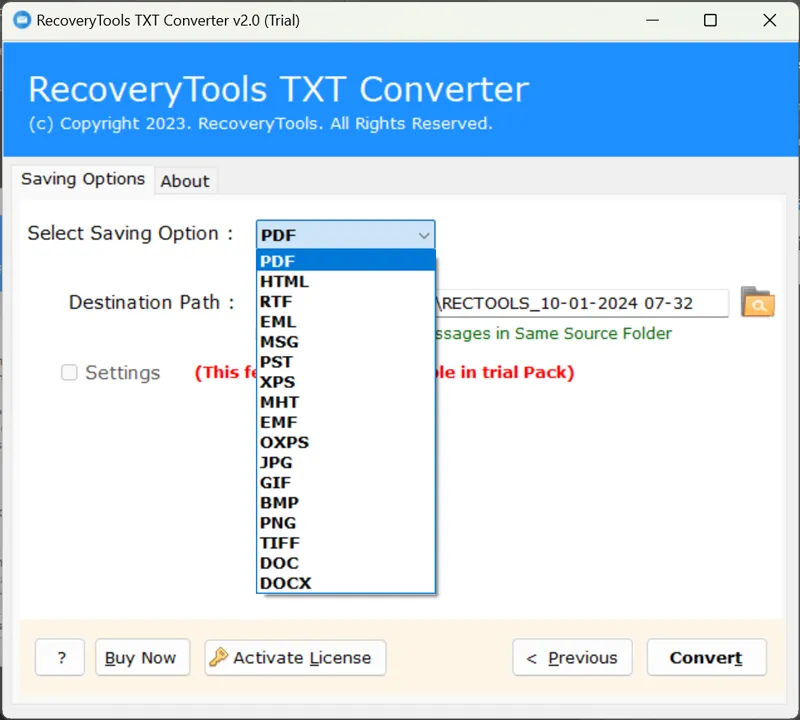
The software helps users convert exported WhatsApp TXT files into:
• DOC
• DOCX
• HTML
• RTF
• CSV
This makes printing much easier because PDF and DOC formats preserve readability far better than raw text files.
Why This Tool Works Well for WhatsApp Chats?
Users often need more than just conversion. They need organization and a printable structure.
BitRecover TXT Converter helps by offering:
• Batch conversion for multiple chats
• Print-friendly formatting
• Selective file export
• Preserved timestamps
• Better readability for long conversations
• Easy sharing and backup creation
For businesses, legal professionals, or users preserving records, these features save hours of manual editing.
Step-by-Step: Print WhatsApp Messages Using BitRecover TXT Converter
Let’s break the process down.
Step 1: Export WhatsApp Chat
First, export your WhatsApp conversation using the built-in Export Chat feature.
Save the TXT file to your computer.
Step 2: Install and Open the Tool
Download and launch the BitRecover TXT Converter on your Windows system.
Step 3: Upload TXT Files
Add one or multiple exported WhatsApp TXT files into the software.
The preview panel helps verify conversations before conversion.
Step 4: Choose Output Format
Select your preferred format:
• PDF for direct printing
• DOC/DOCX for editing
• HTML for browser viewing
PDF is usually the best option for preserving layout consistency.
Step 5: Convert the Chats
Click Convert.
The software processes files while maintaining text structure and timestamps.
Step 6: Print the Converted File
Open the generated PDF or DOC file.
Now simply:
• Click Print
• Choose printer settings
• Print the document
This method feels much smoother compared to manually cleaning TXT files line by line.
Key Features to Look for in a WhatsApp Chat Printer Tool
Not every converter works equally well. If you’re selecting software to print WhatsApp messages, these features matter most.
- Multiple Saving Formats
- Different situations require different formats.
- Batch Conversion
- Readable Formatting
- Media Handling
- Searchable Documents
Use Cases for Printing WhatsApp Chats
People print chats for more reasons than most expect.
- Business Documentation
- Legal Evidence
- Academic Research
- Personal Keepsakes
One Reddit user shared how they converted years of family WhatsApp chats into a printed photo-book after losing a relative. That emotional side of chat preservation is becoming increasingly common.
Final Thoughts
Printing WhatsApp chats becomes easier with proper formatting tools instead of raw TXT exports. While WhatsApp only provides basic chat files, tools like the BitRecover TXT Converter convert them into readable PDF or DOC formats for editing, archiving, sharing, and clean printing while preserving timestamps and conversation structure.
- Technology
- Internet Access
- Global